Custom Review Landing Page.
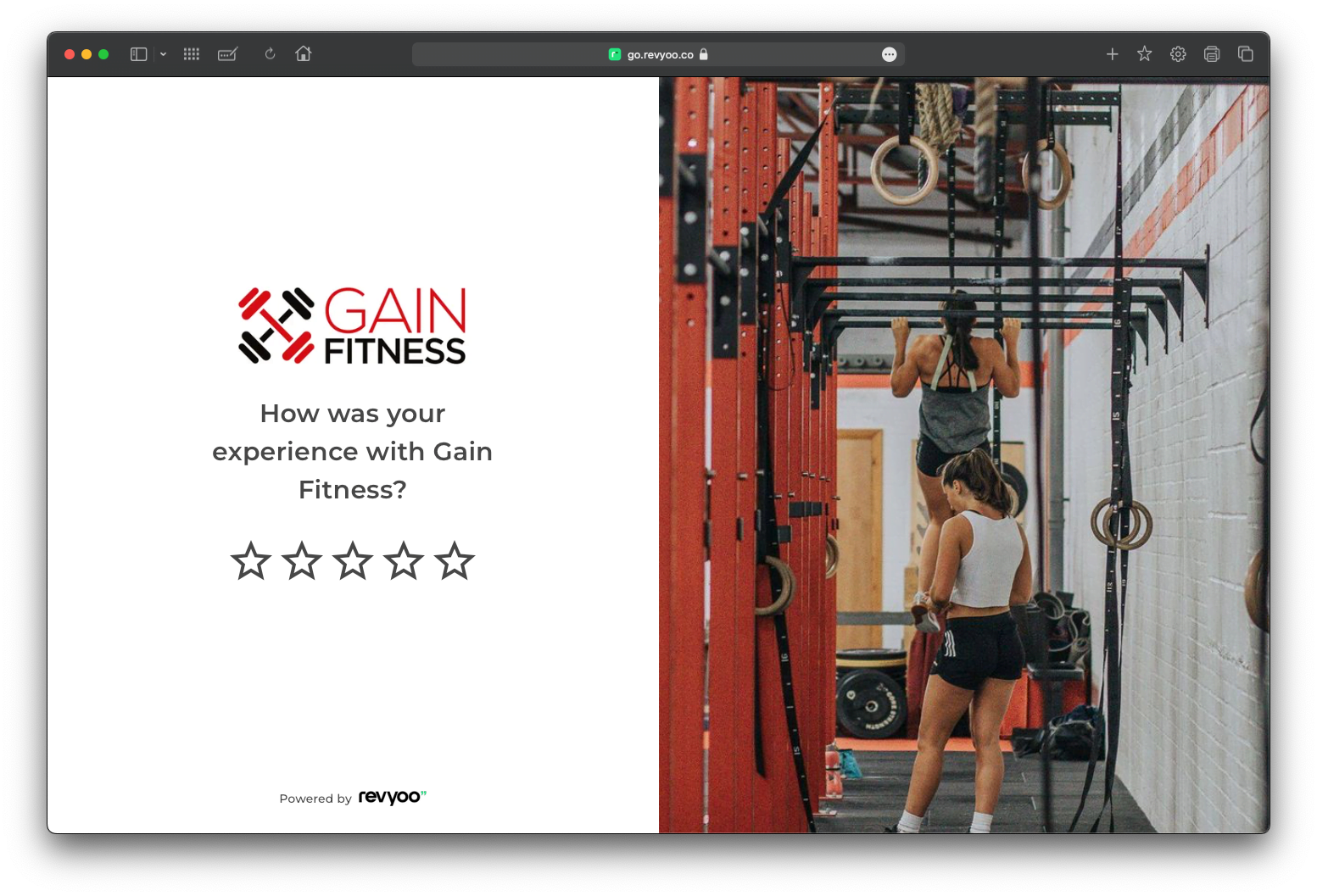
Review Link
The review link is a crucial part of Revyoo. It’s the link you share with customers to request reviews. Clicking the link takes users to a landing page that adapts based on their rating:
- 1-3 stars: A private feedback form appears for users to share confidential feedback.
- 4-5 stars: Users see options for leaving a public review on various platforms.
You can customise this landing page to match your brand identity.
Review Landing Page Settings
- Edit Review Link URL: personalise the URL for your review landing page.
- Edit Link Preview Text: modify the text that appears in SMS and WhatsApp previews.
- Star Rating Display: choose whether to show a star rating filter first (directing users to private feedback or public reviews) or display public review options immediately.
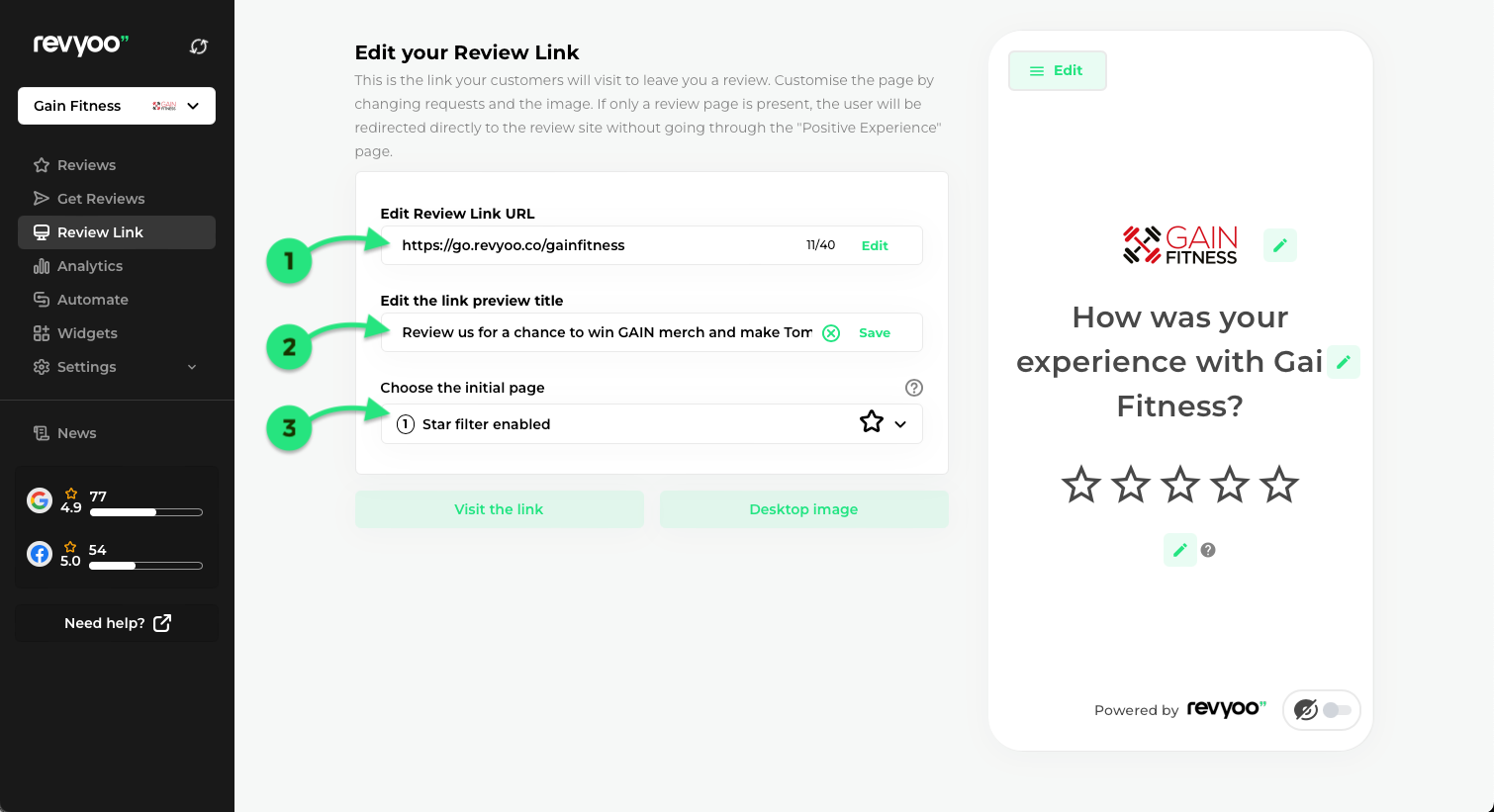
Customise your Review Landing Page
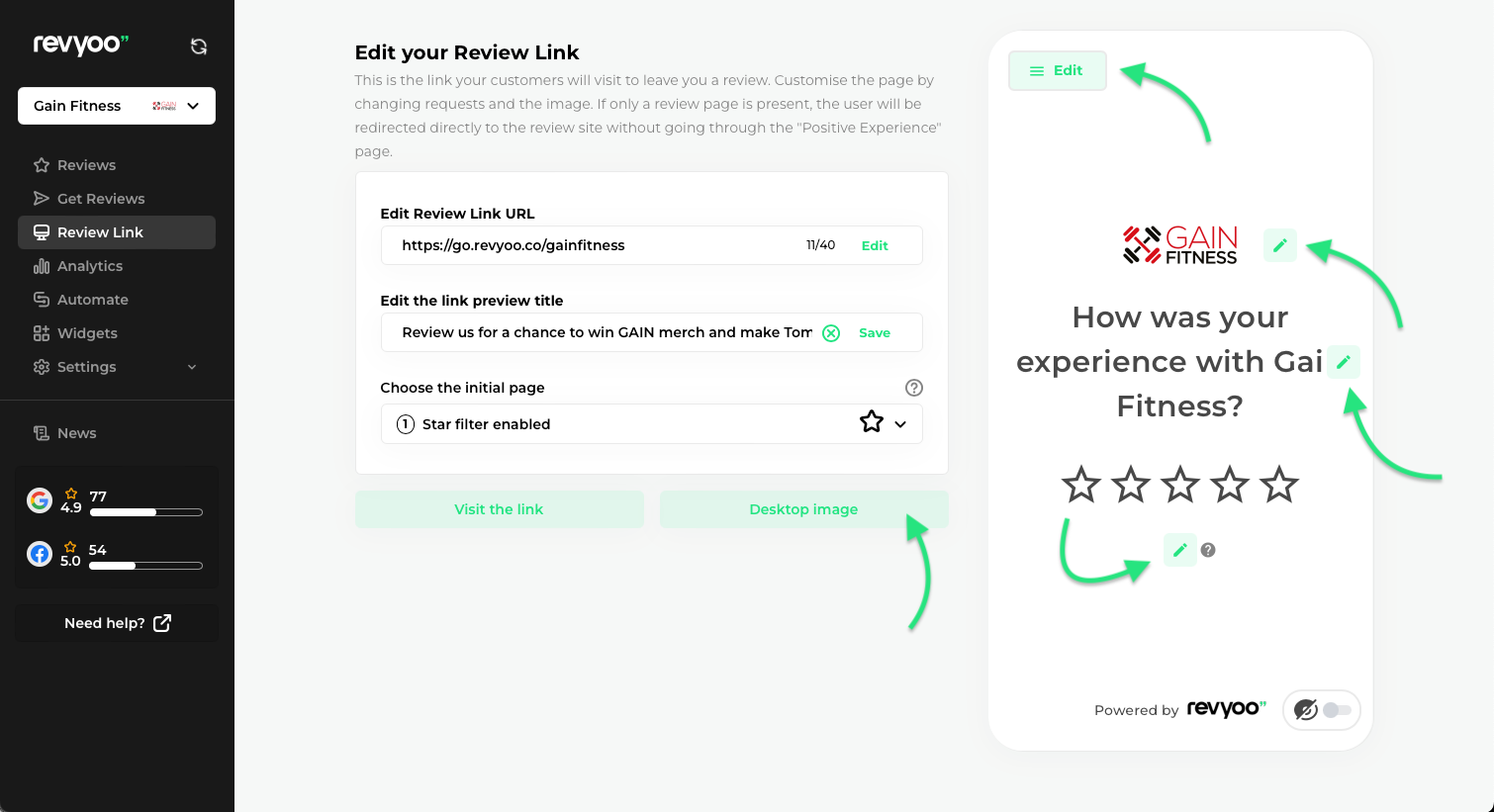
Make the review landing page reflect your brand’s voice and visual style. Start by adding your company logo and the initial message your reviewers see.
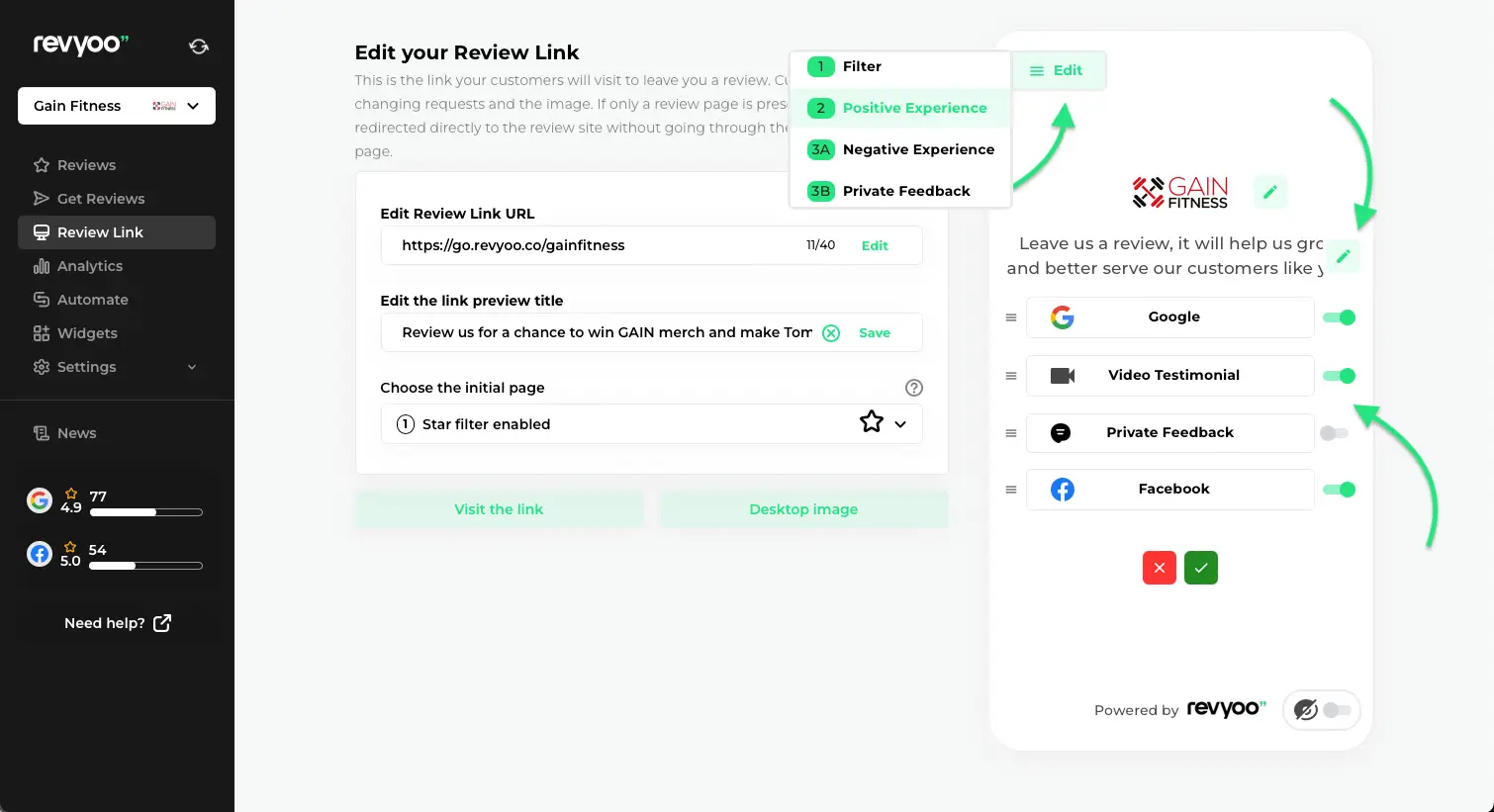
Choose your Review Platforms
Modify your message for users who choose 4-5 stars, and select which review sites (that you’ll have already integrated) you want to display to them. You can change these options whenever you wish.
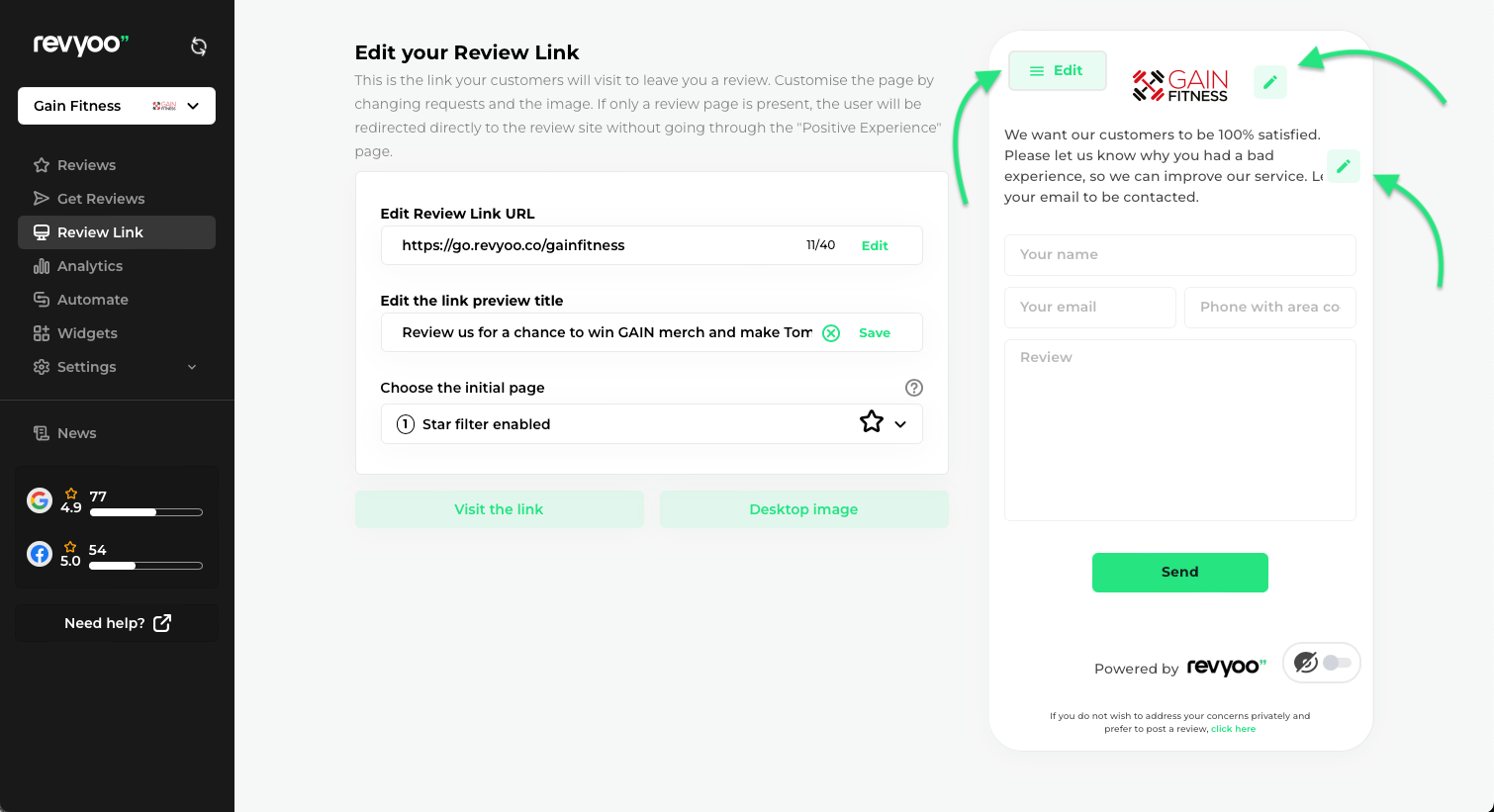
Edit Negative Feedback Layout (1-3 Stars)
Customise the text and brand displayed to users who rate 1-3 stars, by clicking he edit button and selecting ‘negative experience’.
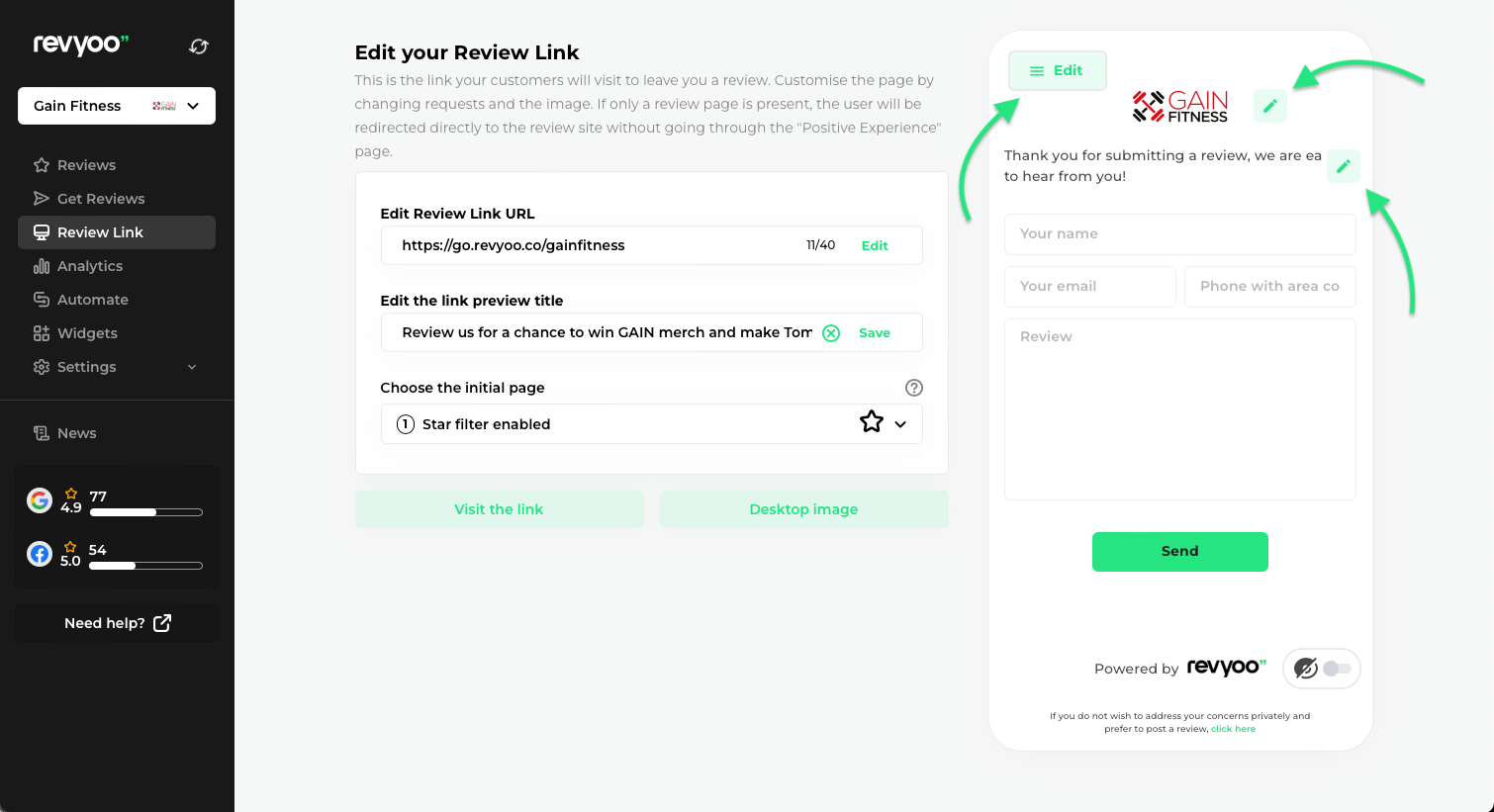
Edit Private Feedback Layout
If you have enabled the “Private Feedback” function, you can edit the text for those users who choose this option and even change the brand for that as well.
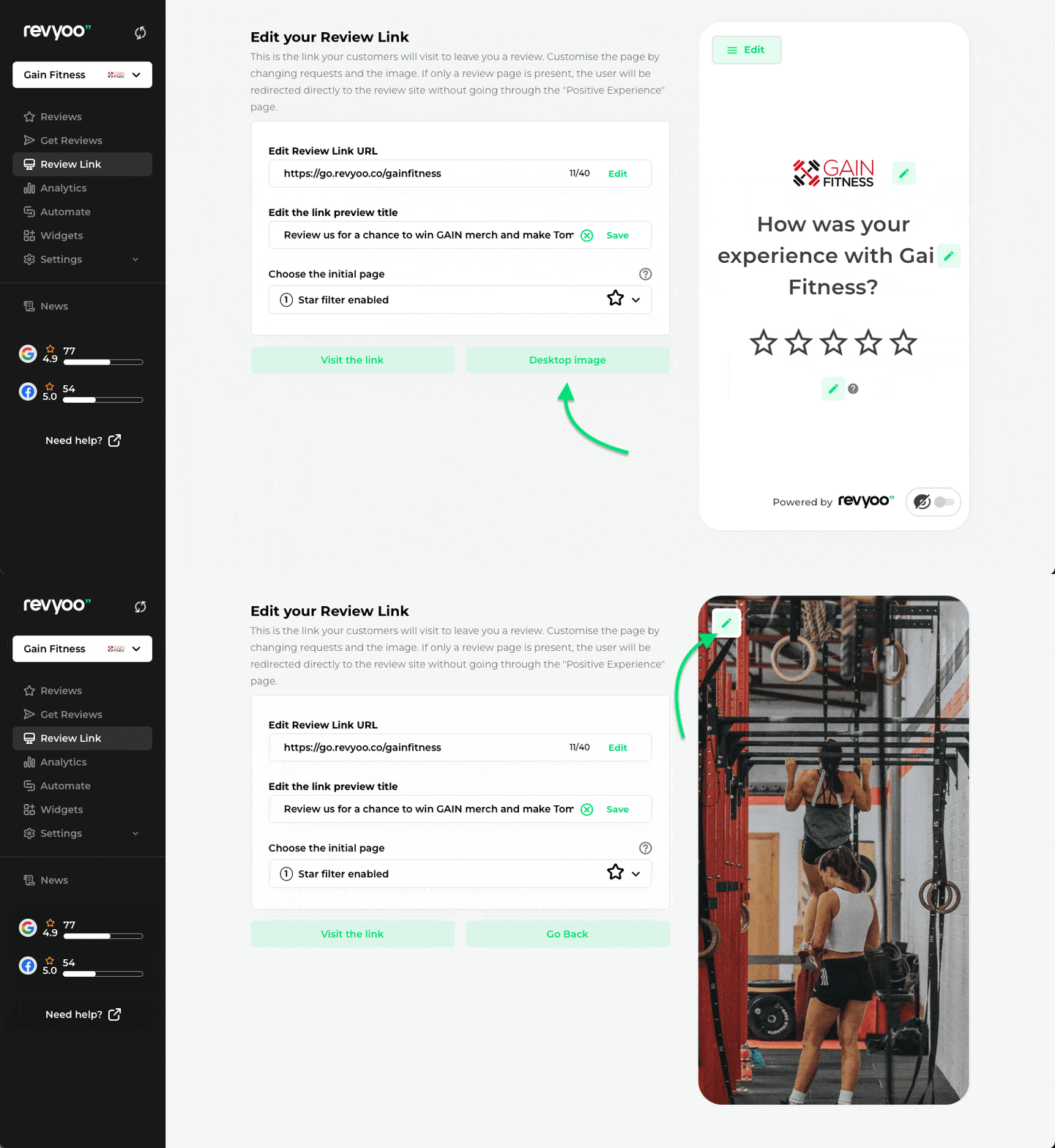
Editing the Review Landing Page Image
Upload a custom image to display on the desktop version of your review landing page.
The Revyoo custom review landing page allows you to request reviews and customise the user experience based on the users’ ratings, ensuring a branded experience throughout.
Need help with something?
Have an account and need support?